
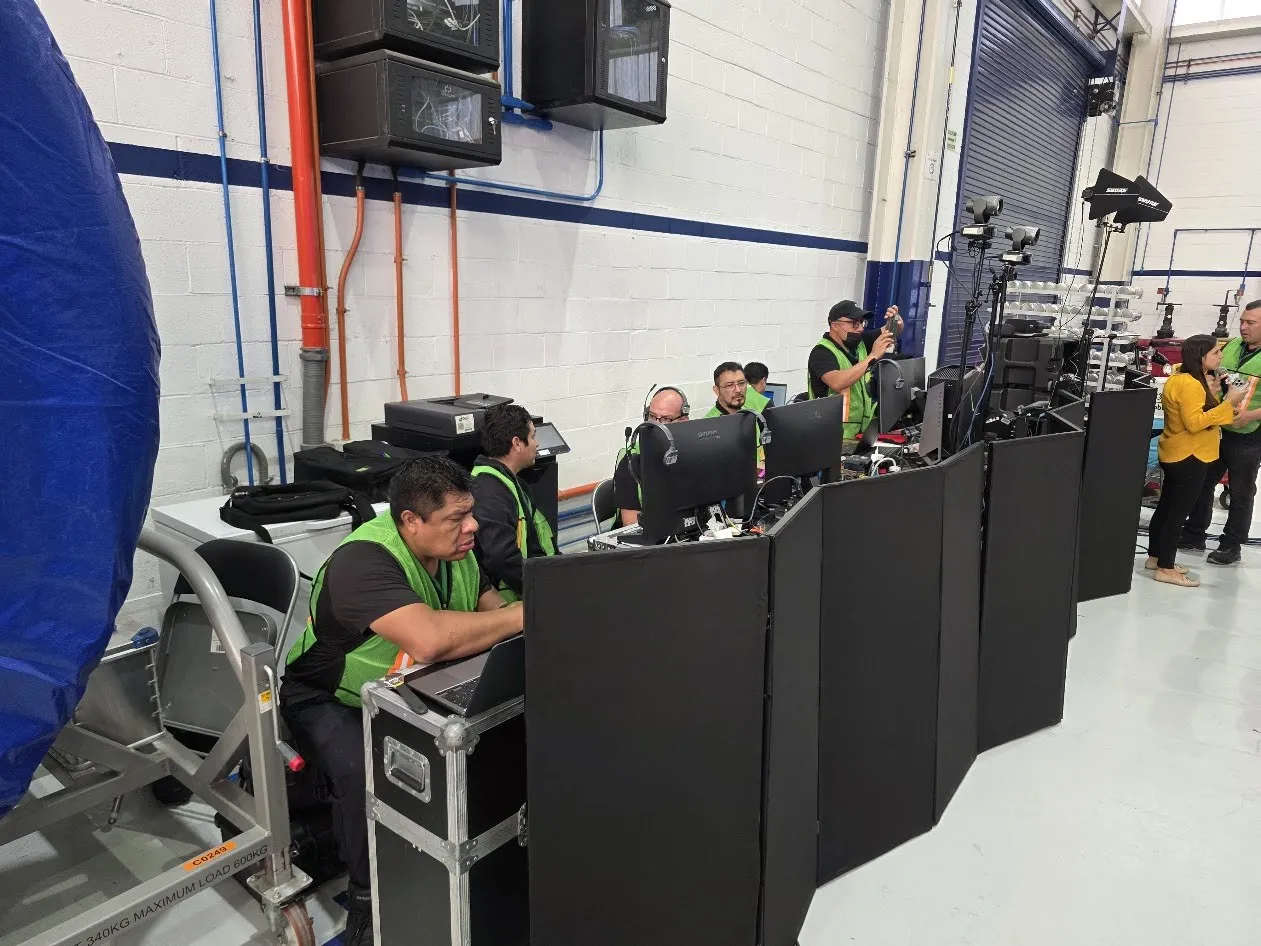
ITP Aero · Querétaro, Mexico
ITP Aero All Hands 2026
A hybrid All Hands on an aerospace plant floor: 125 people in the room and more than 1,500 colleagues on Teams in four countries.
Turnkey production by Castelein AV for ITP Aero.
Broadcast format
When your CEO speaks, a frozen frame or a dropped microphone becomes part of the message. We direct the broadcast so people remember what was said, not how it went wrong.
An executive broadcast is a directed live program led by senior leadership: a CEO update, a results announcement, a strategic change or a crisis message. It brings cameras, broadcast audio, presentation content and any remote executives into one program, delivers it privately to your people or stakeholders on the platform you use, and records it. Everything is planned around one goal: a clear, credible message with nothing technical in the way.
Also known as: CEO broadcast · Leadership broadcast · Results announcement broadcast
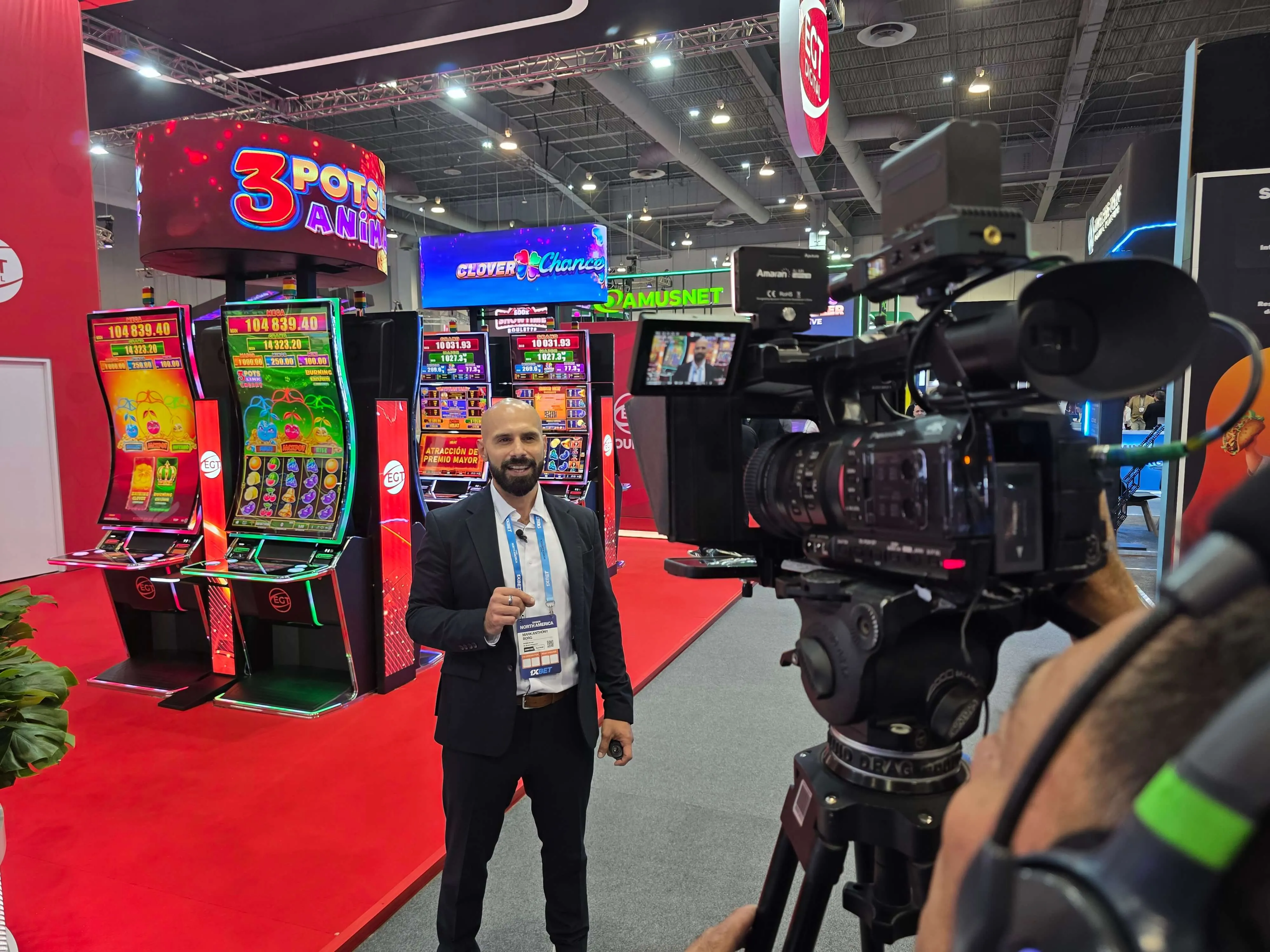
The scope is built around the speaker and the audience. Depending on your brief, it may include:
Two or more cameras with planned framing, cut live by a director, so the speaker is never lost in a wide shot.
Lavalier or handheld microphones mixed for the stream, with a backup microphone on the speaker.
A boardroom, office, auditorium or studio lit and arranged for camera, after checking acoustics, power and connectivity.
Slides, video and lower thirds played into the program from your templates.
A prompter for scripted remarks, where the speaker wants one. We confirm it per production.
Leaders in other cities joined as clean sources after a technical test, with return audio so they hear the room.
Delivery to Microsoft Teams, Zoom, an intranet or a private player, with the access control your platform supports.
Local recording of the program, independent of the stream, for replay and archive.
Before the day
A leadership message gets one chance. These go into every executive broadcast proposal:
We test the location, the connection and your platform with the real inputs, before the speaker arrives.
Microphone, prompter, slides and timing rehearsed with the speaker or a stand-in.
We agree in advance what happens if a connection drops: backup line, backup recording, and who makes the call.
No connection can be guaranteed. We plan protection in proportion to what an interruption would cost you, and we tell you what is covered.
These depend on your platform, your team or third parties, so we confirm them per project:
Who speaks, who watches, from where, and what must be clear when the broadcast ends.
We review the space, power, acoustics and connection, and confirm what your platform accepts.
A written scope with inclusions, exclusions and the protections that apply.
Technical check and speaker run-through, on the day or before it.
Directed program, monitored delivery and local recording from start to finish.
The recording and any agreed edits, in the agreed format and timeframe.
The cost follows the production around the speaker, not the minutes on air:
Share a budget range in your brief and we will propose a scope that fits it, with the trade-offs of each option.
ITP Aero · Querétaro, Mexico
A hybrid All Hands on an aerospace plant floor: 125 people in the room and more than 1,500 colleagues on Teams in four countries.
Turnkey production by Castelein AV for ITP Aero.
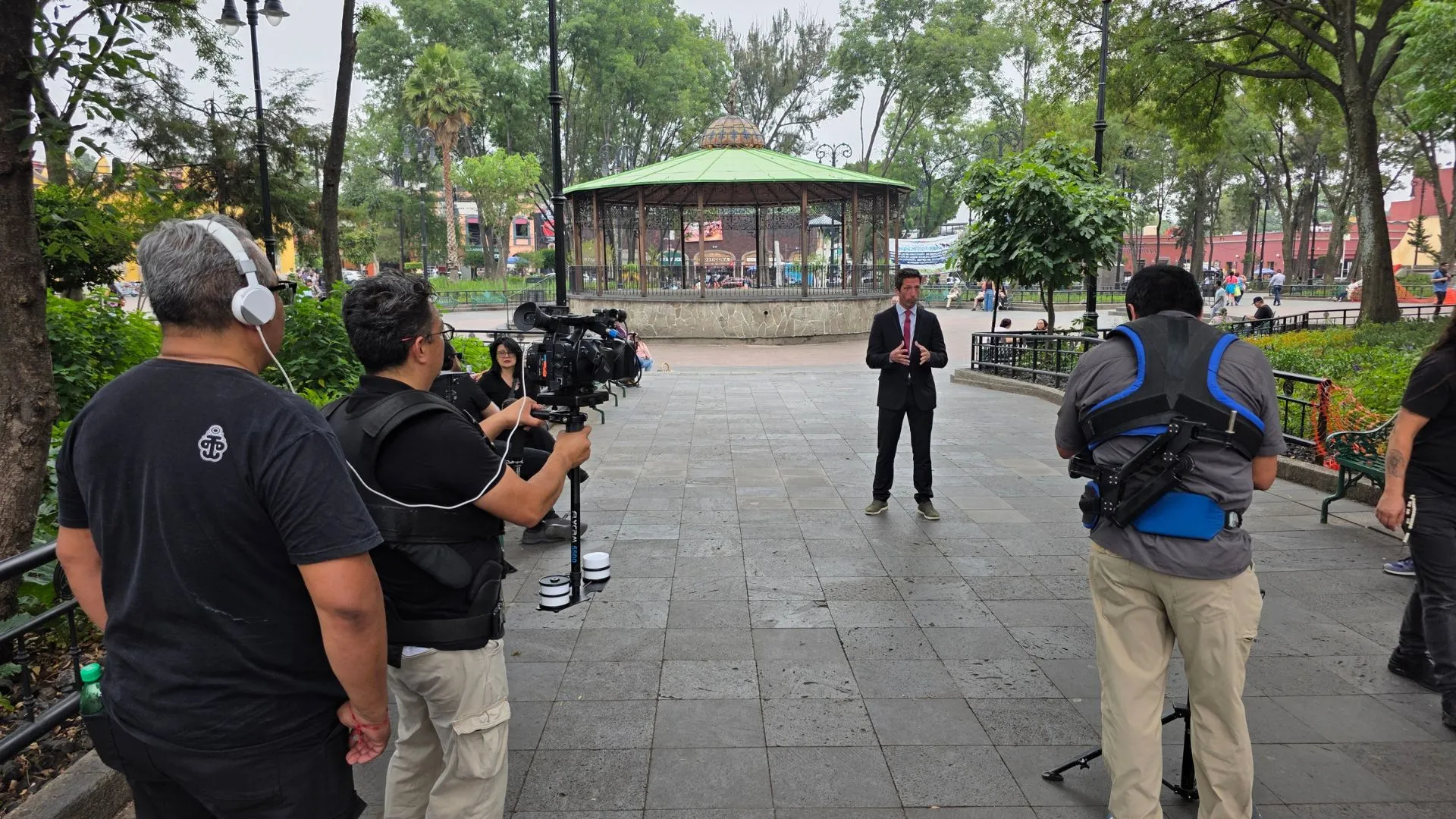
Expertise France · Mexico City
Five locations in three days, in-person and outdoor interviews and remote experts on Zoom, delivered as one mastered program.
Broadcast production by Castelein AV for Expertise France.
A directed live program led by senior leadership: a CEO update, a results or strategy announcement, or a change or crisis message, delivered to employees, investors or other stakeholders.
The production exists to make the message clear and credible: planned camera framing, broadcast audio, rehearsal and an agreed plan for what happens if a connection drops.
Often, yes. Boardrooms, offices, auditoriums and studios can all work.
We check acoustics, light, space for cameras, power and the internet connection first. If the office cannot support the production, we say so and suggest an alternative.
Yes, within what your platform supports. Microsoft Teams, Zoom, an intranet or a private player can each restrict who watches.
Access control is set in your platform account, so we confirm with your IT team who manages it and test it before the broadcast.
Executive Broadcast Production · Corporate Town Hall Production
Yes. We bring remote speakers into the room and the program through Zoom, Teams or a similar platform, with return audio so they can hear the room and follow cues.
Results depend on the speaker’s connection, camera, microphone and lighting, so we recommend a technical check with each remote speaker before the event and keep a fallback for their content, such as a pre-recorded version, when the moment is critical.
Also asked as: Can you support remote presenters at a corporate event?
· Can a speaker join our conference by video?
Hybrid Events & Multi-Site Production · How to Include Remote Speakers in a Live Conference
A recording backup protects the content; live failover protects the live audience’s viewing. They are different measures.
Recording the program locally (often on two recorders) means the content exists even if the stream drops, so it can be published afterwards. Live failover means the stream itself keeps running, for example through a second connection, a backup encoder or a secondary destination. A proposal should say which of these is included.
Also asked as: Does recording the event protect the live stream?
· What is stream redundancy?
Yes. Recording is its own deliverable and does not require a stream. We can record the switched program, each camera separately, the presentations, or a combination.
Agree the file formats, audio channels, storage and delivery date in the proposal, and say whether the material will be edited later. For Expertise France, ISO and program recordings at three points in the chain produced a mastered program with no reshoots.
Also asked as: Can you just record our event?
· Do we need a livestream to get a video of the event?
Case study: Expertise France: Rendez-Vous de l’Expertise in Mexico City · Live Streaming & Broadcast Production
Yes. Zoom and Teams can bring remote speakers into the room, carry the program to remote employees, or both. We connect them as production sources rather than leaving a laptop pointed at the stage.
Meeting settings, host rights and audio routing need testing with the account owner, because two meetings on the same platform can behave differently. ITP Aero’s All Hands ran on Teams; ICON’s Mexico hub connected into DV4’s Zoom studio.
Also asked as: Can you put Teams participants on the big screen?
· Can a Zoom speaker present at our live event?
Case study: ITP Aero All Hands 2026 · Case study: ICON global hybrid event: the Mexico City hub
Multicamera streams, town halls, webinars and executive broadcasts: directed, delivered to your platform and recorded.
All-hands and town halls for distributed teams: one directed broadcast, live Q&A, remote sites and a recording.
Customer and marketing webinars, produced rather than just streamed: rehearsed speakers, directed switching, graphics and recording.
Share your event brief
Share what you know so far: dates, city, venue, audience and what the production has to do. Unknowns are fine. We reply with questions or a scope-based proposal.
First Impact